Pixel-perfect design refers to the practice of implementing designs with exact precision, ensuring the final product matches the original specs down to the pixel.
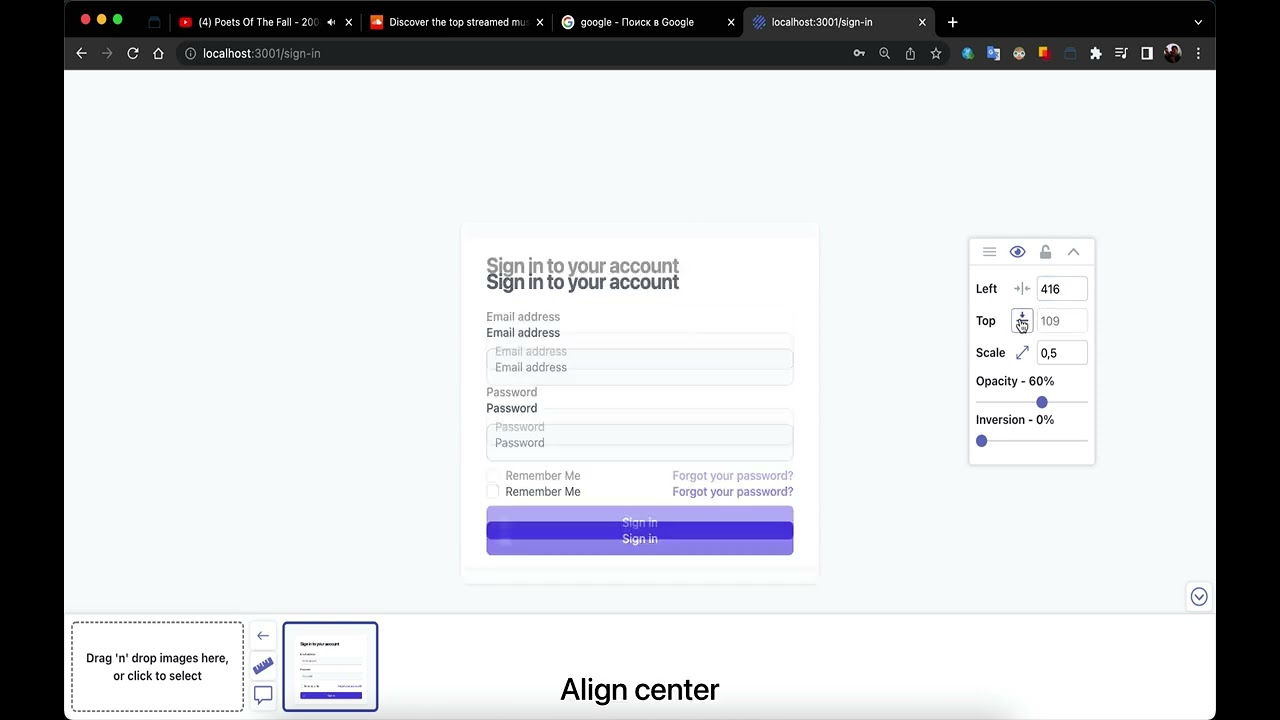
Why pixel-perfect matters
In digital design and development, precision is key. When designs are implemented with pixel-perfect accuracy, the result is a polished, professional product that delivers the exact experience designers intended.
The importance of pixel-perfect design
Why teams investing in this discipline ship better products.
Brand Consistency
Brands invest significant resources in design systems and visual identities. Pixel-perfect implementation ensures the brand's visual language stays intact across every touchpoint.
User Experience
Designers make deliberate decisions about spacing, alignment, and proportions for optimal UX. Even small deviations can compromise usability.
Professional Quality
Attention to detail separates professional work from amateur efforts. Users and clients notice — even subconsciously.
Designer-Developer Collaboration
Striving for pixel-perfect implementation fosters better collaboration and a shared language of mutual respect between teams.
Common challenges
- Responsive Design: Implementing designs that must work across screen sizes while maintaining the intended visual relationships.
- Browser Inconsistencies: Different browsers render CSS differently, making it challenging to achieve consistent results across all platforms.
- Design–Development Handoff: Translating design specs into code accurately when design tools and dev environments differ.
- Dynamic Content: Accommodating variable content lengths while maintaining design integrity.
- Performance Considerations: Balancing visual fidelity with performance requirements.
How Pixel Perfect Pro helps
Tools that make pixel-perfect development achievable and efficient.
Design Overlay
Overlay your design directly on your implementation to visually identify discrepancies and make precise adjustments.
Precise Measurements
Measure distances, sizes, and spacing with pixel-level accuracy to ensure implementation matches the spec.
Alignment Tools
Ensure elements are perfectly positioned with horizontal and vertical alignment options that make precision easy.
Opacity & Scaling Controls
Fine-tune the overlay's appearance to find the perfect balance for comparing your design and implementation.
Best practices
- 1Start with a Design System: Establish a design system with clear specs for spacing, typography, colors, and components.
- 2Use Grid Systems: Implement consistent grid systems to ensure proper alignment and spacing.
- 3Establish a Shared Language: Ensure designers and developers use the same terminology and measurement units.
- 4Leverage Inspection Tools: Use tools like Pixel Perfect Pro to compare implementation against design.
- 5Test Across Devices: Verify pixel-perfect implementation across different devices and browsers.
- 6Document Exceptions: When pixel-perfect implementation isn't possible, document the reasons.